
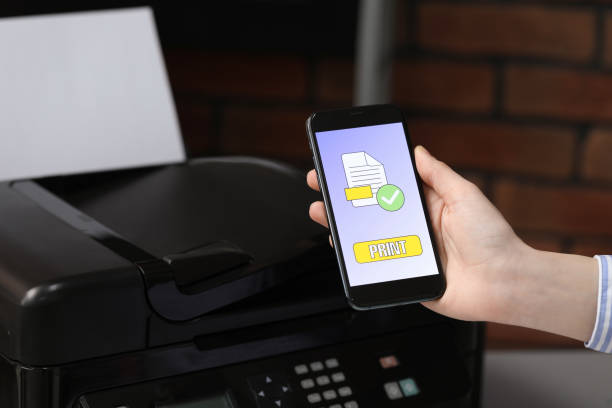
In an age dominated by digital communication, traditional faxing may seem outdated. However, many industries still rely on faxing for secure and reliable document transmission. The good news is that you no longer need a bulky fax machine to send or receive faxes. With your iPhone, you can easily integrate faxing into your mobile lifestyle. This guide will explore innovative faxing solutions, focusing on how to use your iPhone to send faxes efficiently and effectively. For a closer look at this, see Enhancing Food Safety with Advanced Testing Equipment.
The Evolution of Faxing Technology
From Fax Machines to Digital Faxing
Fax machines have been a staple in offices since the 1980s, providing a quick and secure way to send documents. However, the advent of digital technology has transformed traditional faxing. Today, digital faxing allows users to send and receive faxes through the Internet, eliminating the need for physical machines and phone lines.
The Rise of Mobile Faxing
As smartphones became ubiquitous, developers saw an opportunity to further simplify faxing. Mobile faxing apps emerged, enabling users to send and receive faxes directly from their smartphones. This innovation has made faxing more accessible and convenient, especially for professionals on the go.
Benefits of Using Your iPhone for Faxing
Convenience and Accessibility
Using your iPhone for faxing offers unparalleled convenience. You can send and receive faxes from anywhere, at any time, without needing access to a traditional fax machine. This is particularly beneficial for remote workers, business travelers, and those who need to send urgent documents quickly.
Cost-Effectiveness
Traditional faxing involves costs associated with purchasing and maintaining fax machines, phone lines, and paper. Mobile faxing apps often come with affordable subscription plans or pay-per-fax options, reducing the overall expense of faxing. Some apps even offer free trials or limited free faxing, making it a cost-effective solution for occasional fax app users.
Environmental Impact
By using your iPhone to send faxes, you contribute to reducing paper waste and the environmental impact of traditional faxing. Digital faxing eliminates the need for paper, ink, and other consumables, making it an eco-friendly alternative.
How to Send Faxes Using Your iPhone
Choosing the Right Faxing App
There are numerous faxing apps available for the iPhone, each offering different features and pricing plans. Some popular options include:
- FaxBurner: Offers a free plan with a limited number of faxes and affordable paid plans for more frequent use.
- eFax: Provides a robust set of features, including electronic signatures and cloud storage integration.
- MyFax: Known for its user-friendly interface and reliable service.
Setting Up Your Faxing App
Once you’ve chosen a faxing app, download and install it from the App Store. Follow the app’s setup instructions, which typically involve creating an account and selecting a subscription plan if needed. Some apps may also require you to verify your email address or phone number.
Sending a Fax
To send a fax using your iPhone, follow these general steps:
- Open the Faxing App: Launch the app and sign in to your account.
- Compose Your Fax: Enter the recipient’s fax number and add a cover page if desired. You can type the fax number manually or select a contact from your phone’s address book.
- Attach Documents: You can attach documents from various sources, including your phone’s camera, photo library, email, or cloud storage services like Dropbox and Google Drive. Most apps support multiple file formats, such as PDF, JPG, and DOC.
- Preview and Send: Review the attached documents and any cover page text. Once you’re satisfied, tap the send button to transmit your fax. The app will typically confirm once the fax is successfully sent.
Receiving Faxes on Your iPhone
Setting Up a Fax Number
To receive faxes on your iPhone, you’ll need a dedicated fax number. Most faxing apps offer the option to get a new fax number or port an existing one. This number will be used by others to send faxes to your mobile device.
Receiving and Managing Faxes
When someone sends a fax to your number, you’ll receive a notification on your iPhone. You can then open the faxing app to view the received fax. Most apps allow you to download, print, or share the fax via email or cloud storage. Organizing and managing your faxes is straightforward, with options to categorize and archive important documents.
Conclusion
Innovative faxing solutions have revolutionized the way we send and receive faxes, making it easier and more convenient than ever before. By using your iPhone, you can integrate faxing into your mobile lifestyle, enjoying the benefits of accessibility, cost-effectiveness, and environmental sustainability. With the right faxing app and a few simple steps, you can send and receive faxes anytime, anywhere, securely and efficiently. Embrace the future of faxing and enhance your productivity with your iPhone today.
Apart from that, if you are interested to know about Choosing the Right Credit Monitoring Service then visit our Small Businesses category.